


Belysa can now be run on both Windows 10 and 11, as well as MacOS (beta version). They can also be downloaded from: https://www.sigmaaldrich.com/services/software-and-digital-platforms/belysa-immunoassay-curve-fitting-software/belysa-downloads
40-122

Logiciel d′ajustement de courbe pour dosages immuno-enzymatiques Belysa
Synonyme(s) :
Logiciel Belysa, Outil d’ajustement de courbe
Se connecter pour consulter les tarifs organisationnels et contractuels.
Sélectionner une taille de conditionnement
Changer de vue
| À vous/Référence | Disponibilité | Prix |
|---|
A propos de cet article
NACRES:
IB.31
UNSPSC Code:
12352200
Le tarif et la disponibilité ne sont pas disponibles actuellement.
Service technique
Besoin d'aide ? Notre équipe de scientifiques expérimentés est là pour vous.
Laissez-nous vous aiderdescription
analysis of data from Luminex®, ELISA and SMCxPRO®
technique(s)
ELISA: suitable (data analysis)
storage temp.
no temp limit
General description
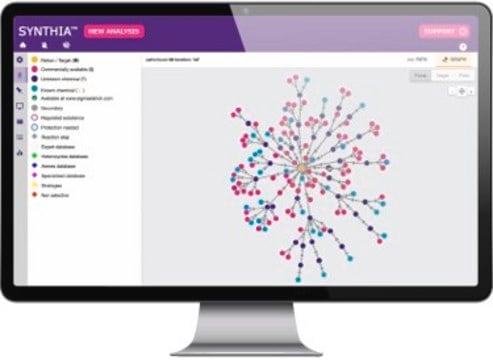
Le logiciel Belysa permet à l'utilisateur d'analyser les données des lecteurs de dosages immuno-enzymatiques multiplex Luminex® (RUO Magpix, LX200, FM3D et INTELLIFLEX), du système SMCxPRO® et des plateformes ELISA dans un fichier .CSV. Outre l'application et l'ajustement de différents modèles de courbes (4PL, 5PL, linéaire, etc.), le logiciel permet également à l'utilisateur d'évaluer les tests à 96 ou 384 puits à la recherche d'écarts, notamment le CV des réplicats (en pourcentage) ou la récupération attendue d'une courbe standard. Un système de signalisation défini par l'utilisateur permet à ce dernier d'identifier facilement les puits qui nécessitent un examen plus approfondi, tout en fournissant des informations sur le point de données, telles que sa position par rapport à la LLOQ ou à la LOD du test. Une fois la plaque individuelle acceptable, une autre fonction permet de comparer plusieurs courbes étalons, soit dans le cadre d'un même test, soit entre des lots de tests, en utilisant un rapport de pente pour évaluer la similitude. En permettant l'évaluation minutieuse de la plaque individuelle et de courbes multiples, Belysa vous permet de confirmer que votre méthode peut être reproduite à plusieurs reprises.
Application
Ce logiciel est utilisé pour évaluer les données d'un dosage immuno-enzymatique en plaque 96 ou 384 puits obtenues à partir d'une plateforme Luminex®, ELISA ou SMCxPRO® afin de vérifier la fiabilité de la méthode. Les fonctionnalités du logiciel incluent la création de cartes de plaques, l'ajustement des courbes, le CV (en pourcentage), le pourcentage de récupération, le calcul des résultats et la comparaison avec une courbe étalon.
Domaine de recherche :
Domaine de recherche :
- Milliplex®
- ELISA
- SMCxPRO®
Packaging
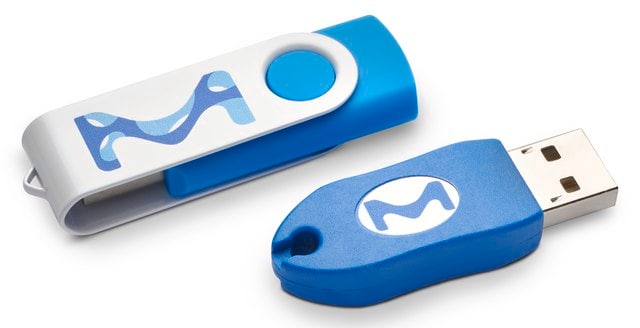
1 boîte (contenant deux clés USB)
Legal Information
Luminex is a registered trademark of Luminex Corporation
MILLIPLEX is a registered trademark of Merck KGaA, Darmstadt, Germany
SMCxPRO is a registered trademark of Merck KGaA, Darmstadt, Germany
1 of 1
Cet article | |||
|---|---|---|---|
| description - | description - | description - | description Membrane filtration, General microbiological analysis |
| storage temp. no temp limit | storage temp. - | storage temp. - | storage temp. - |
| description analysis of data from Luminex®, ELISA and SMCxPRO® | description Software as a Service (Saas) | description - | description - |
| technique(s) ELISA: suitable (data analysis) | technique(s) - | technique(s) - | technique(s) - |
Faites votre choix parmi les versions les plus récentes :
Déjà en possession de ce produit ?
Retrouvez la documentation relative aux produits que vous avez récemment achetés dans la Bibliothèque de documents.
-
Is the Belysa software compatible with Windows and MacOS?
Is the Belysa software compatible with Windows and MacOS?
1 answer-
Helpful?
-
-
Is it possible for Belysa to perform a 4PL curve fitting with 1/Y weighting, and if so, could a brief overview be provided on the procedure to accomplish this?
1 answer-
The weighting function in the software is not customizable. It provides two weighting functions that are automatically selected based on the curve fitting formula applied. The user manual provides more detail on this topic.
Weighting
The weighting function affects how the curve fit parameters are calculated and describes how the variance changes in relation to the concentration. For most curve fit options, the weighting function used is 1/y². For Robust curve fit options, the weighting function used is 1 divided by the median value of the replicate group (or the average if 2 or fewer replicates).
Helpful?
-
-
1. Why does MDD sometimes display a value when blanks haven't been defined in the plate map? LOD was N/A, but MDD showed values.
2. Do blank wells contribute to the curve fit equation, or is it only non-zero standard points?
1 answer-
1. In version 1.2.1, both LoD and MDD are interpolated from the standard curve. If the curve does not have any blanks defined, it is expected that the LoD and MDD would be non-applicable (N/A). It is important to note that the software does not designate a separate "blank" well type. Any standard well with an expected concentration of 0.0 is treated as a blank for the purposes of calculating LoD and MDD.
2. Yes, the curve fitting process does take into account blank wells. Therefore, the presence or absence of blank wells within the group will affect the curve fitting.
Helpful?
-
-
Is there a way within the Belysa software to apply a dilution factor to every analyte at once? Also, is there a way to copy and paste a dilution factor down a column of samples within the software?
1 answer-
The best and easiest way to use sample dilutions in Belysa is to have them in the input file (.csv). So either enter into Xponent and have the sample dilutions get exported out of Xponent with your raw data or edit your .csv file to add the desired sample dilution to the end of the file where sample dilutions are kept.
Helpful?
-